
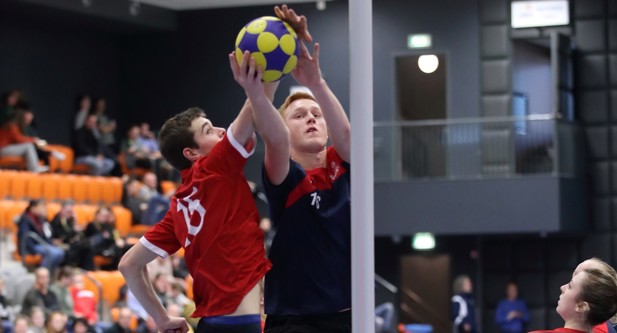
For task 11, learners are required to be observed coaching a 40 minute korfball session in their own environment (e.g their club). Your coaching session plan should be reflective of the duration you usually coach for. However, this must be a minimum of 40 minutes for qualification purposes.
To support accessibility, you are able to video your coaching session and submit this to us electronically for assessment. You can download our video assessment guidelines on the left of this page.
Assessment Topics for Task 11
We encourage learners to select an assessment topic based on the needs of the team/players they are coaching for task 11. This list can be found on the left side of your screen ‘Task 11 L2 Korfball Assessment Topics’.
Please see below the process for finalising your e-portfolio and requesting a video assessment.
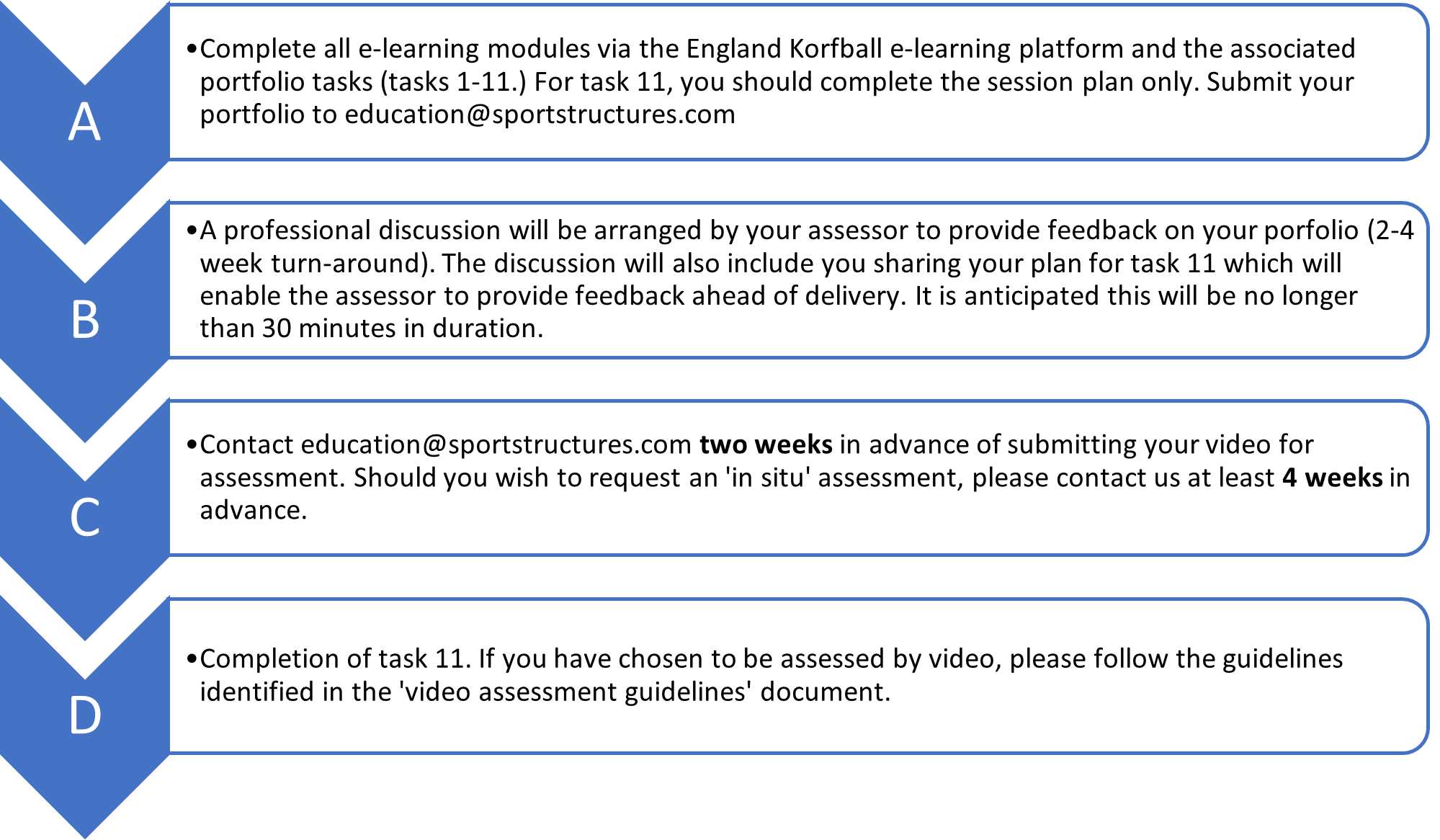
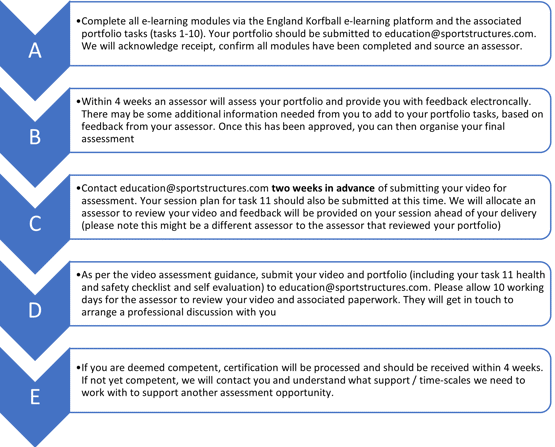
Please be aware that review time-scales identified in the document are a guide. The maximum amount of time for assessments to be reviewed will be 4 weeks.
Please consider the following when planning your session:
- Obtaining prior consent from any participants you wish to involve in your session. If you intend to film in a school, you will need to ensure that permission is sought from parents and the school (and the school hold records of this permission). An example video consent form can be requested from us. Evidence of consent needs to accompany your video submission.
- Testing any equipment you wish to use prior to your session taking place.
- Ensuring the camera has sufficient battery life to complete the whole session (no part sessions will be accepted). Please seek advice if you are unsure of what to capture with us directly.
- Using an appropriate venue/environment. Ideally sessions should be filmed indoors (depending on your course/qualification). Ensure lighting is appropriate and noise interference is kept to a minimum.
- Sharing the video assessment guidance document with a colleague if they are capturing the session on your behalf. They should film the session in close proximity to you so the video can capture audio by you and your participants.
- Becoming familiar with the course/qualification requirements (i.e. paperwork you are required to complete and the duration of the session you are required to capture).
Equipment
- Smart phones are ideal for capturing video footage. You may also wish to explore the following mounts/audio technology:
- Phone tripods
- GorillaPods
- Lapel microphones (check device compatibility – i.e. IOS or Android)
Head mounts are not permitted.
Please be aware that if the video footage is of poor quality, this will be rejected, and feedback will be provided to explain the reason for the rejection.

